
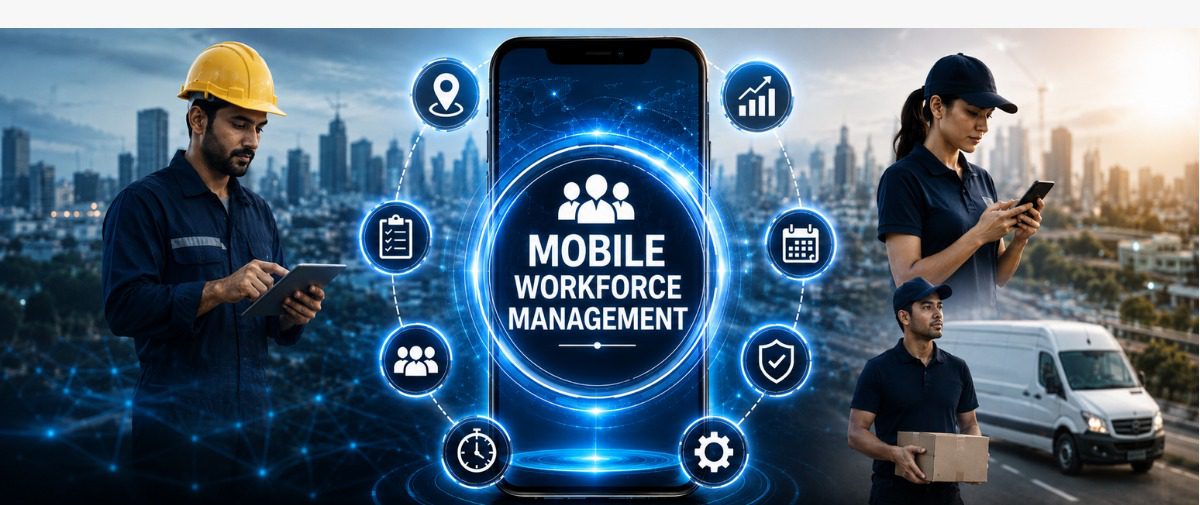
What Is Mobile Workforce Management?
Imagine a construction crew across three sites, a delivery fleet crossing the city and a hospitality team clocking in from different venues, all managed from a single screen. Coordination on that scale sits at the heart of mobile workforce management, reshaping how businesses organise, track and support employees who rarely sit behind a desk.
Featured Snippet Answer
Mobile workforce management refers to the tools and processes that help businesses coordinate, track and support employees working outside a fixed office, such as field technicians, construction crews or delivery teams. It combines GPS tracking, mobile employee management and real-time scheduling to keep dispersed teams connected, improving visibility, productivity and compliance across every location.
Key Takeaways
-
- Mobile workforce management gives businesses real-time visibility over remote and field employees.
-
- Workforce mobility tools, including a workforce management app, cut manual admin and payroll errors.
-
- Field workforce management supports construction, logistics, hospitality and manufacturing.
-
- Mobile workforce software improves communication, safety and accountability across teams.
-
- Remote workforce management helps businesses scale operations while keeping compliance standards high.
What Does Mobile Workforce Management Mean?
Mobile workforce management describes the systems, apps and strategies businesses use to organise employees working away from a central office, including field engineers, delivery drivers, construction teams and outdoor hospitality staff.
Mobile workforce software brings scheduling, GPS tracking, digital timesheets, communication and reporting into a single hub, connecting managers and mobile teams through live, verified data.
How Does Mobile Workforce Management Work?
A typical mobile workforce management app connects field staff to head office through a smartphone, removing the need for physical clock-in machines, in four steps.
Step 1: Digital Clock-In and Location Verification
Employees clock in through a mobile app, supported by GPS or geo fencing so managers can confirm staff are on-site.
Step 2: Real-Time Scheduling and Task Assignment
Managers assign shifts, tasks and site changes instantly, and staff receive updates on their phones at short notice.
Step 3: Automated Time and Attendance Tracking
Hours worked, breaks and overtime are logged automatically, feeding straight into payroll and reducing manual reconciliation.
Step 4: Reporting and Compliance Monitoring
Dashboards give managers a live view of attendance, labour costs and site coverage, supporting workforce mobility across every project.
Together, these steps give businesses an accurate picture of the mobile team, letting supervisors compare planned and actual hours and adjust rosters directly from a phone.
Key Benefits of Mobile Workforce Management
Adopting mobile employee management tools delivers measurable advantages for businesses with dispersed teams.
-
- Improved accuracy: GPS-verified clock-ins reduce time theft and buddy punching.
-
- Stronger productivity: managers assign and adjust tasks in real time.
-
- Simplified payroll: automated timesheets feed directly into payroll.
-
- Better compliance: digital records support audit trails for award rates and overtime.
-
- Greater visibility: live dashboards show who is working, where and for how long.
-
- Higher staff satisfaction: a simple workforce management app gives employees clarity over shifts and pay.
Benefits materialise only when the software fits the industry using it. Construction crews need offline access, hospitality venues need fast shift-swap tools, and logistics fleets need route-aware GPS tracking.
Real-World Use Cases Across Industries
Field workforce management varies by industry, but the objective remains consistent: keeping dispersed teams connected, visible and accountable.</p style=”text-align: justify;”>
Mainmark, an Australian ground engineering company operating across Australia and New Zealand, moved from paper-based processes, spreadsheets and whiteboards to digital workflows. The company reported reducing paper-based work by 90% while gaining greater visibility across scheduling and operations.</p style=”text-align: justify;”>
Glad Group, an Australian provider of security, cleaning, maintenance and guest services, uses mobile-enabled processes to coordinate distributed teams. The company has moved away from paper-based reporting while improving response times across its service operations.
Wilson and Scott, a UK road-marking company operating more than 100 line-painting vehicles, uses mobile technology to connect field teams with its back office. The company reported a 53% increase in paid staff numbers while reducing payroll processing to one person in a single day.
Across construction, facilities services and field operations, the common thread is clear: mobile teams need connected systems that give managers timely visibility while supporting employees wherever they work.
Common Mistakes to Avoid
Businesses introducing mobile workforce software sometimes overlook a few details that limit their return on investment.
-
- Choosing software with limited offline functionality, creating gaps in low-signal areas.
-
- Underestimating staff training, leading to inconsistent app adoption.
-
- Overlooking integration with existing payroll and HR systems.
-
- Delaying rollout of GPS or geofencing features, missing early time-theft savings.
-
- Treating the app as a standalone tool instead of part of a wider workforce strategy.
A structured implementation across teams and sites helps identify these issues early and ensures a smooth rollout across the wider workforce.
Mobile Workforce Management vs Traditional Workforce Management
| Feature | Mobile Workforce Management | Traditional Workforce Management |
| Attendance tracking | GPS-verified digital clock-in | Paper timesheets or fixed terminals |
| Scheduling | Real-time, app-based updates | Manual rosters, often printed |
| Payroll integration | Automated, direct feed | Manual data entry |
| Visibility | Live dashboards | Delayed, end-of-week reporting |
| Suitability | Field, construction, logistics, hospitality | Office-based, fixed-location teams |
The comparison makes the shift clear: dispersed teams need tools that support them wherever they work, and mobile workforce management provides that flexibility.
Keeping Mobile Teams Connected and Coordinated
A team spread across sites, vehicles and venues benefits most from software built around movement. Bringing scheduling, attendance and payroll into one system gives managers clarity and gives employees a simpler way to work every shift.
The right workforce management app turns a scattered team into a coordinated one, with accuracy built into every task and shift.
Frequently Asked Questions
1. What is mobile workforce management?
Apps and tools that schedule, track and support staff working away from a fixed office.
2. How does mobile workforce management improve productivity?
It gives managers real-time visibility over tasks and attendance, enabling faster decisions.
3. Which industries benefit most from mobile workforce software?
Construction, logistics, manufacturing and hospitality, given their multi-site workforces.
4. Does mobile workforce management replace payroll systems?
It works alongside payroll systems, feeding verified hours directly into pay runs.
5. What features should a workforce management app include?
GPS tracking, digital timesheets, shift scheduling, payroll integration and offline functionality.
6. How does GPS tracking support field workforce management?
It confirms on-site presence at clock-in, reducing time theft and improving cost accuracy.
7. What is the difference between workforce mobility and mobile workforce management?
Workforce mobility is the broader ability to work flexibly; mobile workforce management is the toolset that enables it.
8. Can remote workforce management help with compliance?
Digital time records create clear audit trails for award rates and overtime.
Explore More from Koyyo
Ready to bring every field, site and venue team into one connected system? Koyyo’s mobile workforce management tools give managers live visibility over attendance, scheduling and payroll.
Discover how Koyyo helps businesses manage mobile teams with accuracy and ease. Get in touch with our team today.